Network pairing guide
Follow these APP screens to pair your gateway and discover devices on the local network.
Full walkthrough
Tip: Keep Bluetooth, Wi-Fi, and Location on. Stay near the gateway during setup.
-
01
Enable permissions
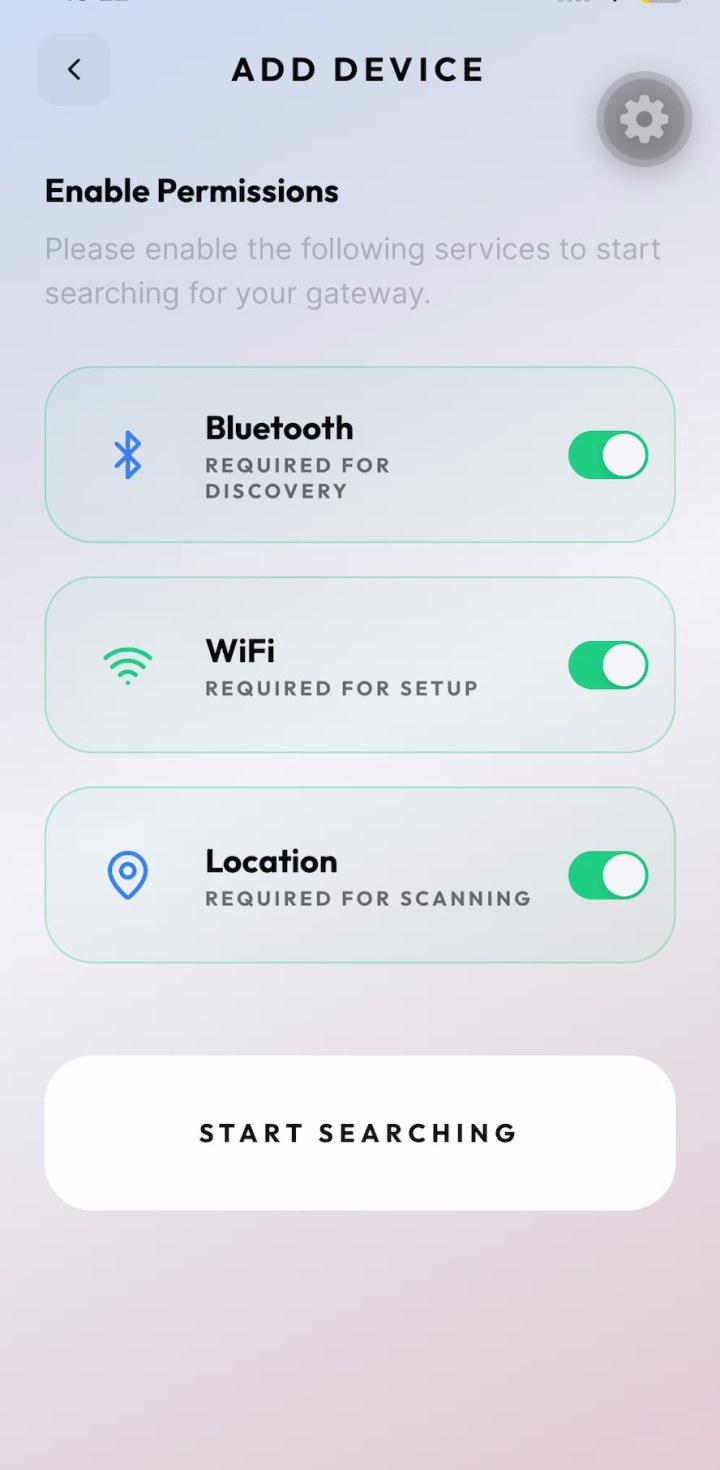
Open Add Device. Turn on Bluetooth, Wi-Fi, and Location, then tap Start Searching.
-
02
Select your gateway
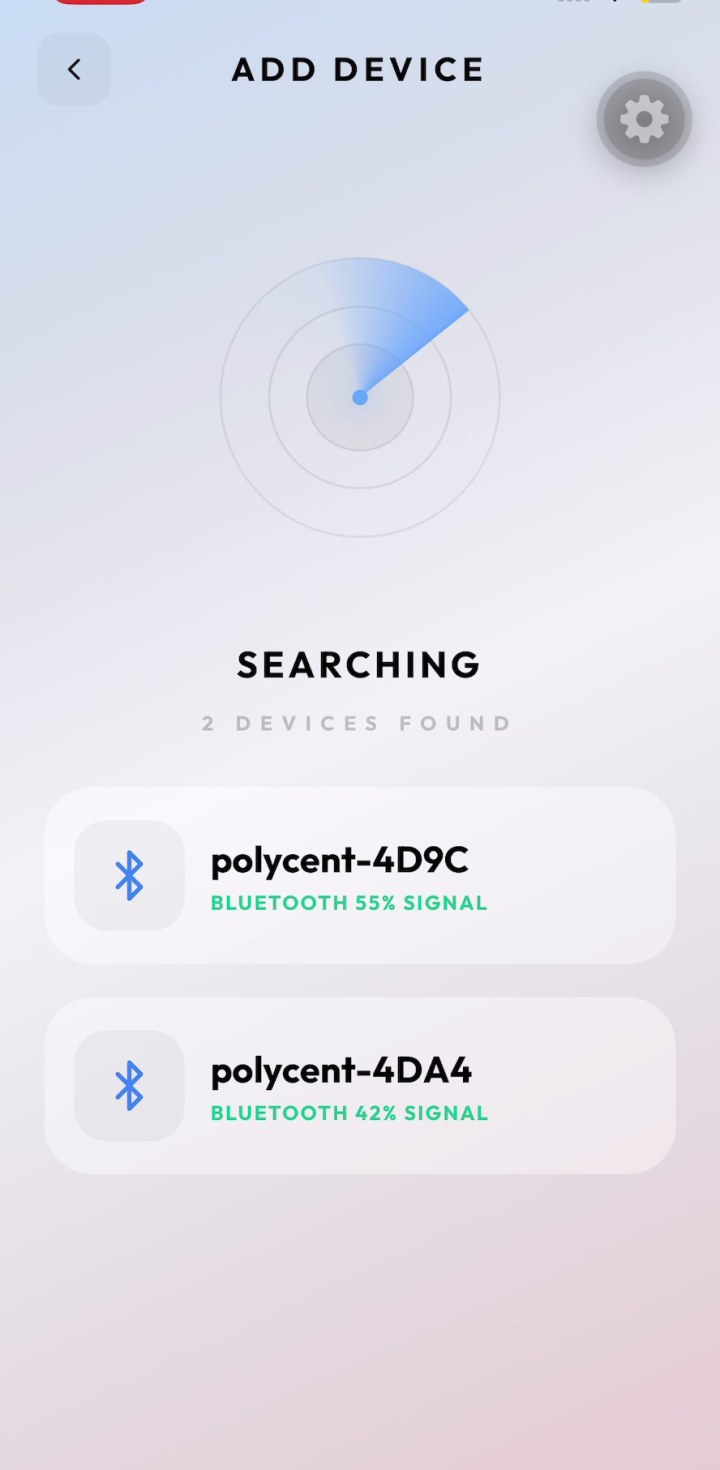
Wait until nearby Bluetooth devices appear. Tap your gateway (for example polycent-xxxx) to continue.
-
03
Scan Wi-Fi networks
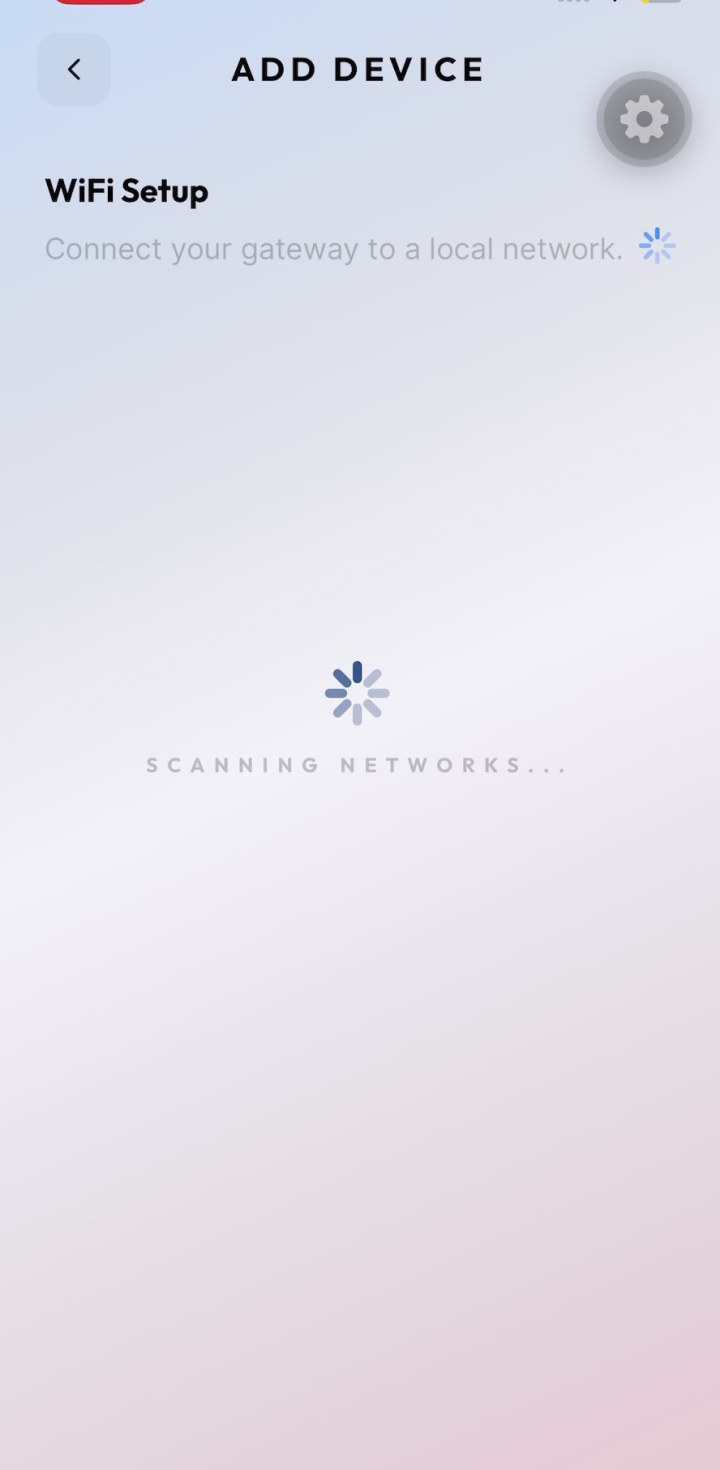
On WiFi Setup, wait while the app scans local networks for your gateway.
-
04
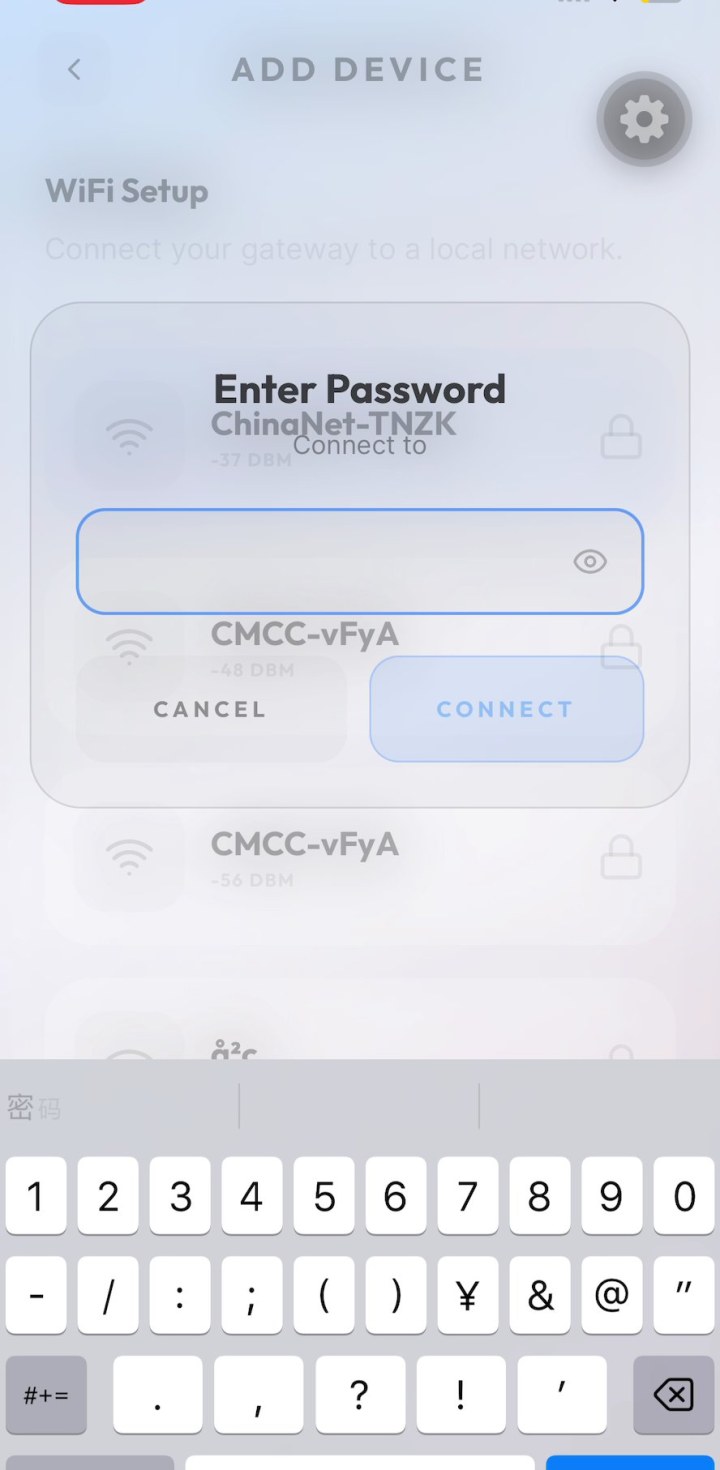
Enter Wi-Fi password
Choose your home or site Wi-Fi, enter the password, then tap Connect.
-
05
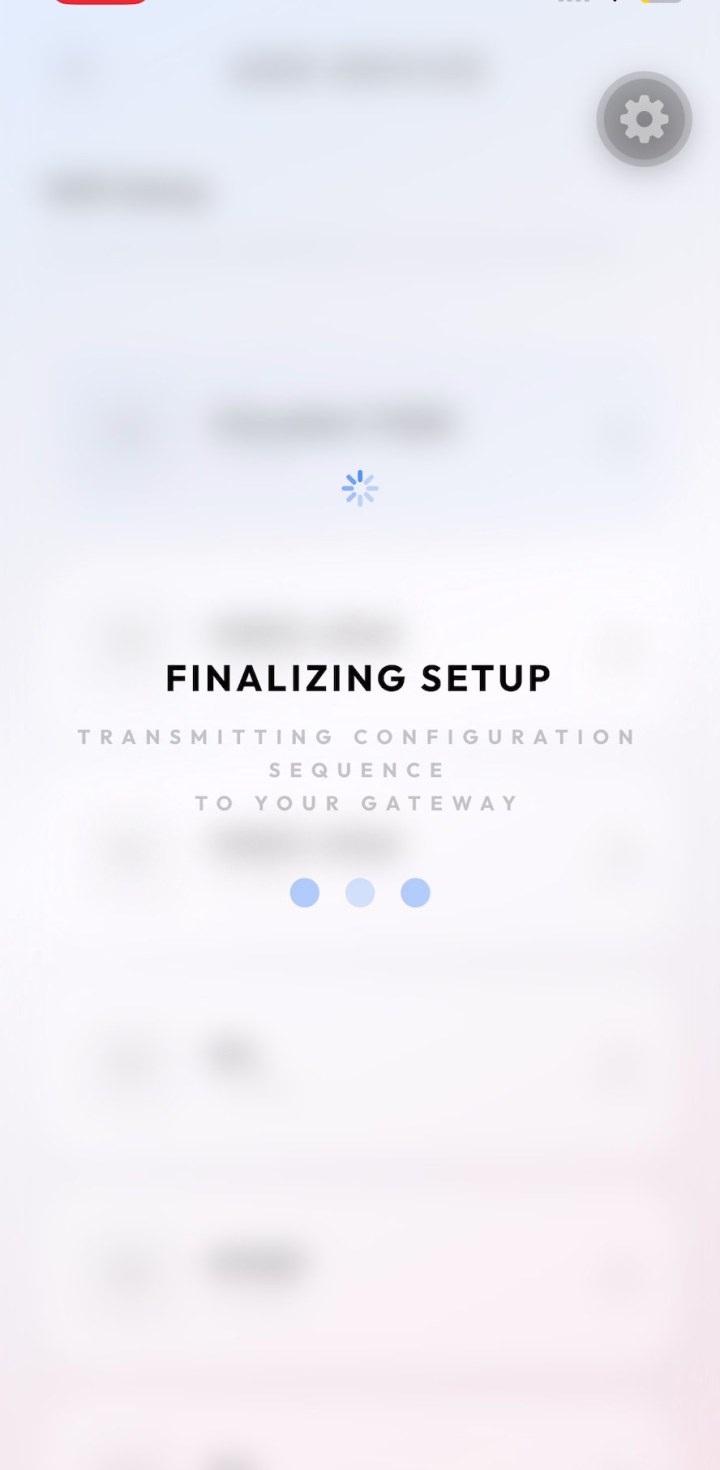
Finalize gateway setup
Keep the APP open while configuration is transmitted to the gateway. Do not leave this screen.
-
06
Discover and add devices
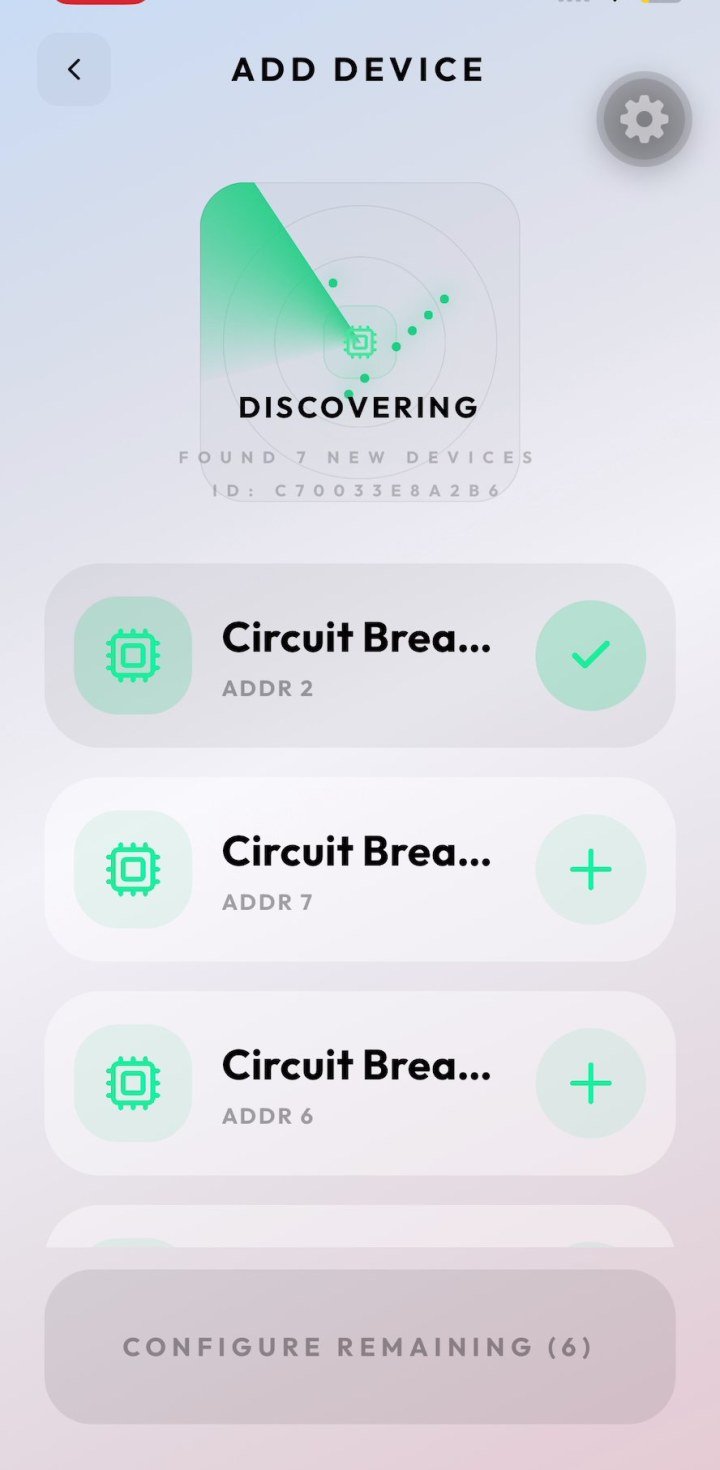
When discovery finds circuit breakers, tap + to add each device, then use Configure Remaining to finish.